
Backing tracks, ready for your WING.
DeckStage prepares, organizes and transfers your W-Live sessions to the SD card, with checks before you reach the stage.
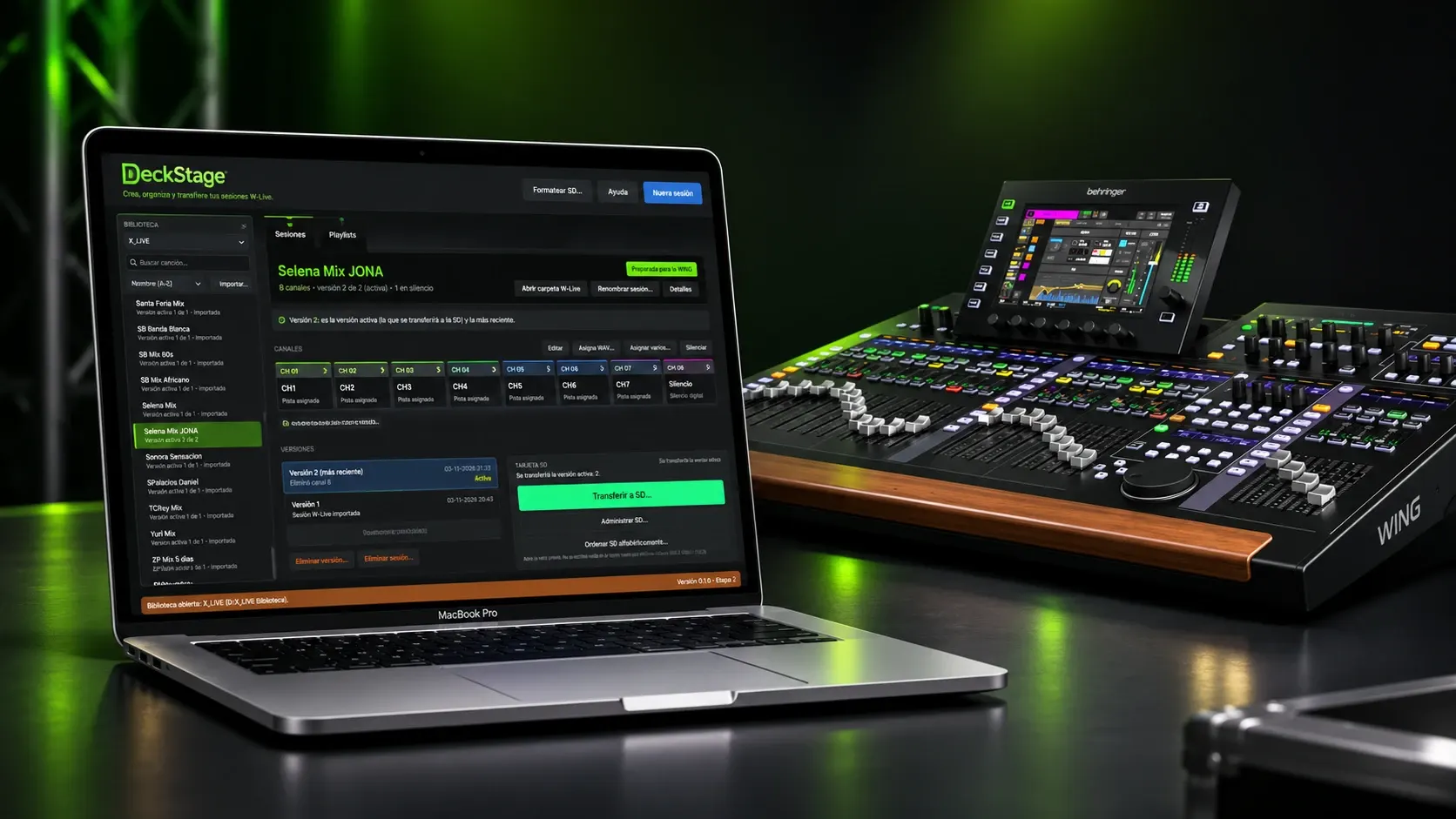
No surprises on the card.
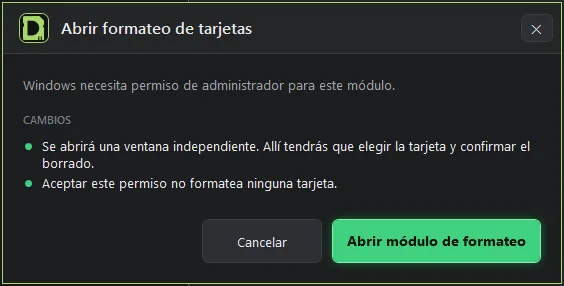
An accented name, a misplaced folder or a badly formatted card shows up at soundcheck. DeckStage warns you on your computer and asks for confirmation before any destructive operation.
The whole workflow, from library to console
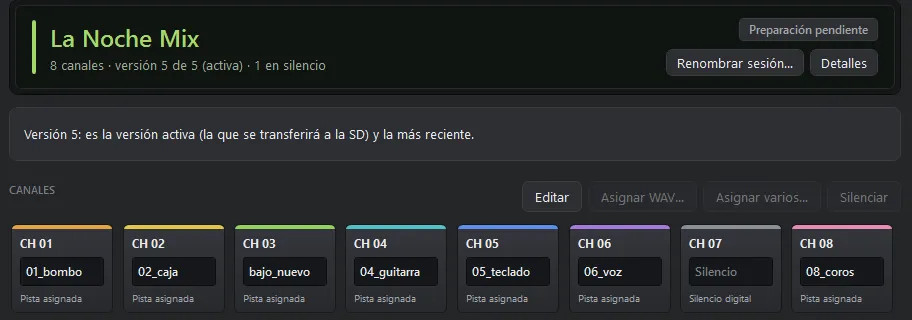
Create 8-track sessions
Assign a WAV to each channel, leave unused ones silent and name the session with up to 16 ASCII characters. It is born in the format the WING recognizes.
A library with every version
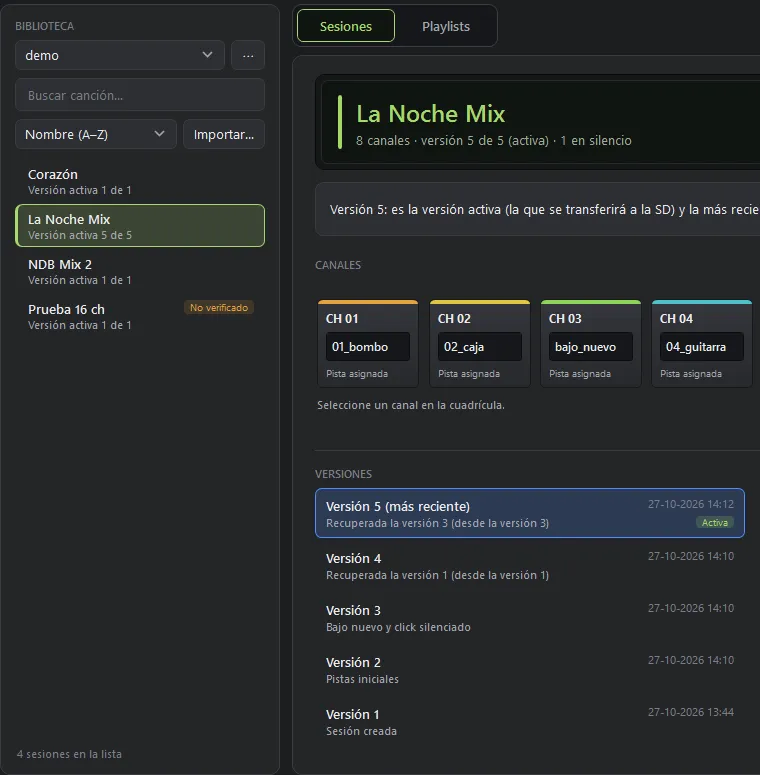
Every change is saved as a new version and the active one is what gets transferred. Original WAV files are only read: never modified, moved or deleted.
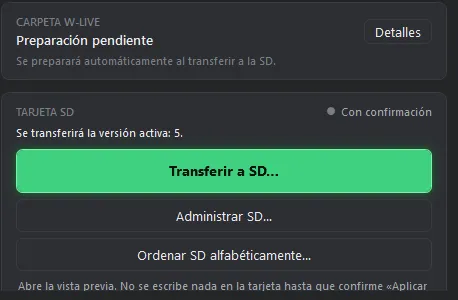
The SD card, no guessing
Transfer the active version to the X_LIVE folder, sort the card alphabetically with a preview and format as FAT32. Nothing is written without your confirmation.
Import and fix
Bring in existing sessions, review their state and fix what is needed before putting them on the card.
Playlists and setlists
Order your setlist the way it will be played and prepare it in one go.
Built-in manual
Full help works offline; open it with the F1 key.
From WAV to WING
-
Import
Load your WAV tracks, one per channel.
-
Prepare
Save the session to your library with its version.
-
Transfer
Send the active version to the microSD and verify what was written.
-
Play
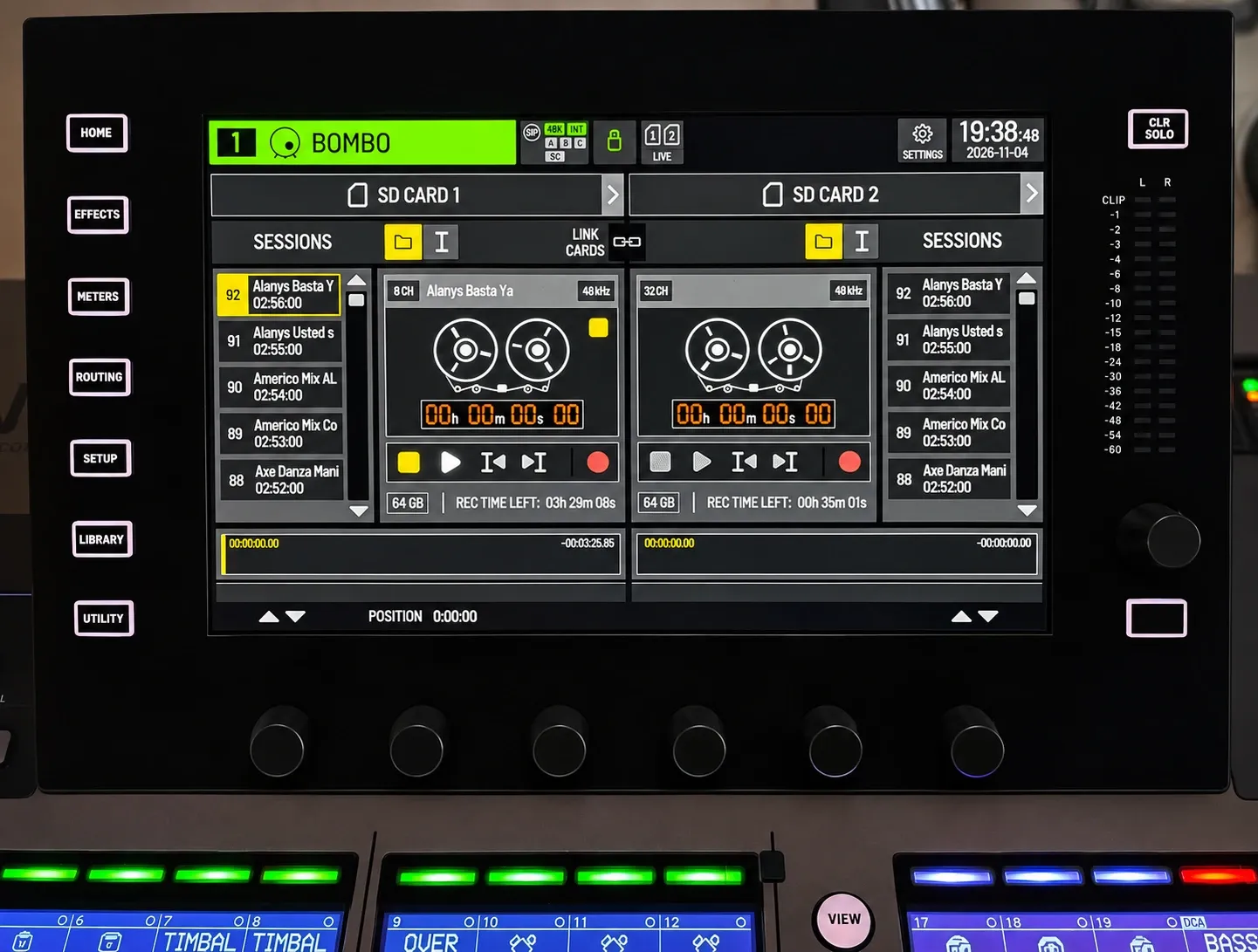
The WING shows the session in its player.
The WING player.
The WING reads the sessions on the SD card and shows their name, channels and sample rate in its player, with two cards at once.
Built for the stage
Windows and macOS
Work on the computer you bring to every rehearsal and every show, with the same app and the same manual.
Made for the WING
Creates 8-track sessions in the format the console recognizes, ready to play from the SD card. They also work on X32 and M32 with the Klark Teknik DN32-LIVE card.
No surprises
Warns about invalid names and asks for confirmation before any destructive operation on the card.
Download DeckStage
Windows
Desktop app for PC.
Windows · Coming SoonmacOS
Desktop app for Mac.
macOS · Coming SoonPrice
DeckStage for Windows and macOS.
Frequently asked questions
Is it an official Behringer product?
No. DeckStage is an independent tool and is not an official Behringer, Midas or Klark Teknik product. WING, X32, M32 and DN32-LIVE are trademarks of their respective owners.
Does it work with X32 or M32?
Yes, if the console has the Klark Teknik DN32-LIVE expansion card installed, which plays W-Live sessions from the SD card. Without that card, the console cannot play them.
What do I need to use it?
A computer running Windows or macOS, a microSD card with a reader and your tracks as WAV files.
Does it modify my audio files?
No. Original WAV files are only read; they are never modified, moved or deleted.
Does it work with cards over 32 GB?
Yes. DeckStage formats cards over 32 GB as FAT32 too.
Is it available for Windows and macOS?
It will be available for both platforms. For now, download and purchase are marked “Coming Soon”.
How much does it cost?
The promotional price is US$49.